Video wall installation in Miami.
Backer first, panels last.
A video wall is mostly the parts you stop seeing once the panels are on. We build that side as well as hanging the screens: the backer, the mounts, the recessed box and network run at each position, and the source equipment feeding all of it, which is the half that usually gets handed to somebody else. The photographs on this page are our own installs. What comes out of it is an array that reads flat, seams that stay straight, a numbered run to every screen, and a wall a single panel can come out of without disturbing the ones beside it.

A video wall backer panel fitted with ten display brackets and LED edge lighting, with cabling coiled ready at each mount, in a room still being fitted out.
Everything decisive happens before a screen goes on the wall
A video wall is not screens hung on drywall. Behind the panels sits a backer fixed back to structure rather than to drywall alone, painted out dark so the gaps between panels read black instead of gray. Mounts are set out on it to the panel grid with the corner adjusters left live, because a wall is trimmed into line after it is hanging, not before. Each position gets a recessed box so nothing sits proud behind a screen, and the network cable for that screen is pulled and coiled at its box before the first panel arrives. The power outlet for each position belongs on that same grid, so we set the positions out with the rest of the layout and hand them to whoever is running the power. That is also the moment to ask an electrician what else is already on the circuit the array is about to land on, while it is still a question rather than a problem. Once the panels are on, none of this is reachable again without taking them back off, which is why the argument about width, height and viewing distance happens now.
One network run per panel, numbered at both ends
HDMI does not travel. Past roughly fifteen feet a long HDMI run starts getting unreliable, and the source for a video wall belongs somewhere sensible, in a rack or an equipment room, not on the floor under the screens. So the picture goes over network cable instead: a transmitter at the source, a receiver at the panel, one run per screen. It gets sold under several names, HDMI over network cable, HDMI over IP, AV over IP. On site the only thing that matters is that each screen has its own run and its own number, printed on the transmitter, flagged at the connector and written on the map you keep. That is what turns a dark panel into a short conversation instead of an afternoon, because whoever is standing at the source equipment can work out whether the fault is the screen, the lead or the source without unplugging things to see what changes. Numbering costs almost nothing on the day the backboard is built and is awkward to add once the panels have covered it.
A straight seam is judged from where people stand
Panels go up one at a time, each one trimmed against the two beside it, which is the reason the mounts keep their adjustment instead of being set solid. A mount with no movement left in it turns a drifted seam into a panel that has to come back off the wall. With the array complete, a full field of white and a full field of color go across all of it at once, because a seam and a brightness step both show on flat color and both hide behind content. Then the wall gets looked at from where the room will actually be used, standing where people stand, rather than from the top of a ladder two feet away. A seam that disappears at three feet can still be obvious at twenty, and the twenty-foot view is the one the room actually gets.
The room the wall is watched from
A wall that people work in front of all day is a room, not a screen. Where the operator sits sets the mounting height, and the mounting height is fixed the moment the backer goes up, so the console comes first in the conversation even though it is one of the last things installed. That means a console at a distance and height somebody can work at for a full shift, side monitors that do not compete with the wall for attention, a place for the sources and recorders that is not under anyone's feet, and cable paths to all of it that were planned rather than found. Room lighting belongs in the same conversation, since a bright ceiling washes a wall out and a dark room leaves the operator squinting at a keyboard, and it is worth settling with whoever controls the lighting before the console position is fixed.
From these jobs
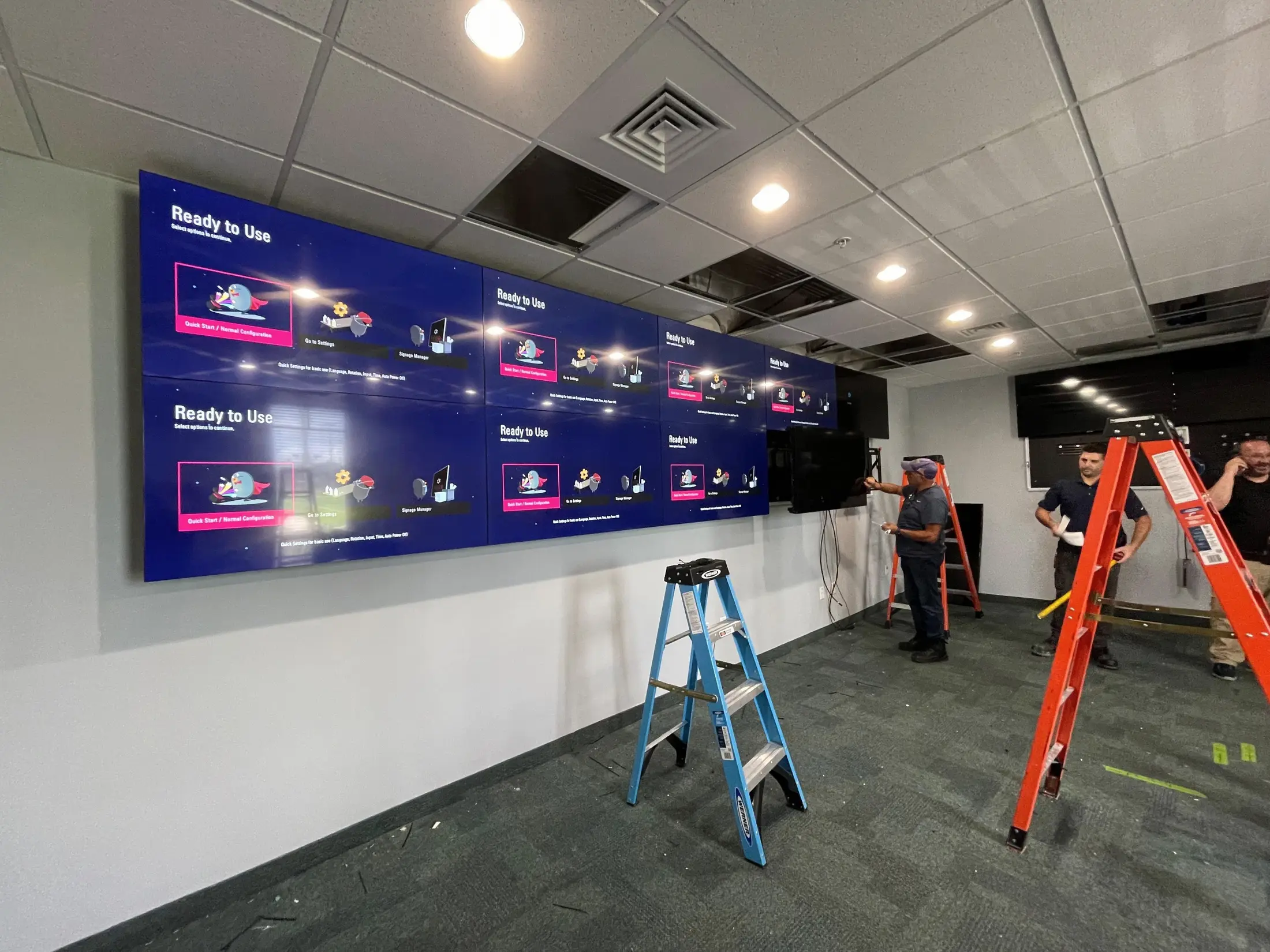
PLATE 01
Three technicians on step ladders aligning an eight panel video wall on a dark mounting backer in an empty office space.
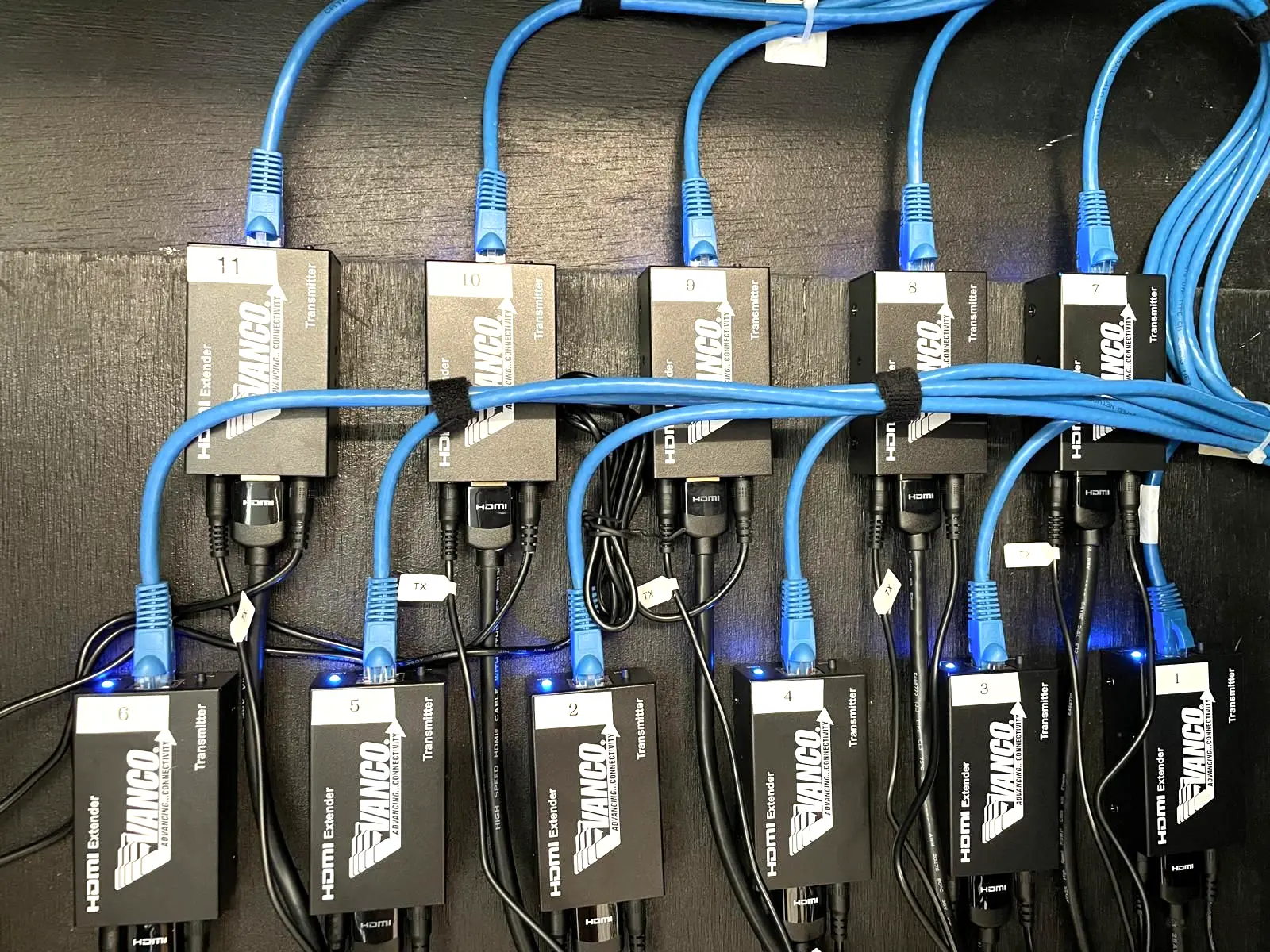
PLATE 02
Eleven numbered HDMI over network transmitters velcroed in two rows on a backboard, each fed by a blue patch cord and an HDMI lead.
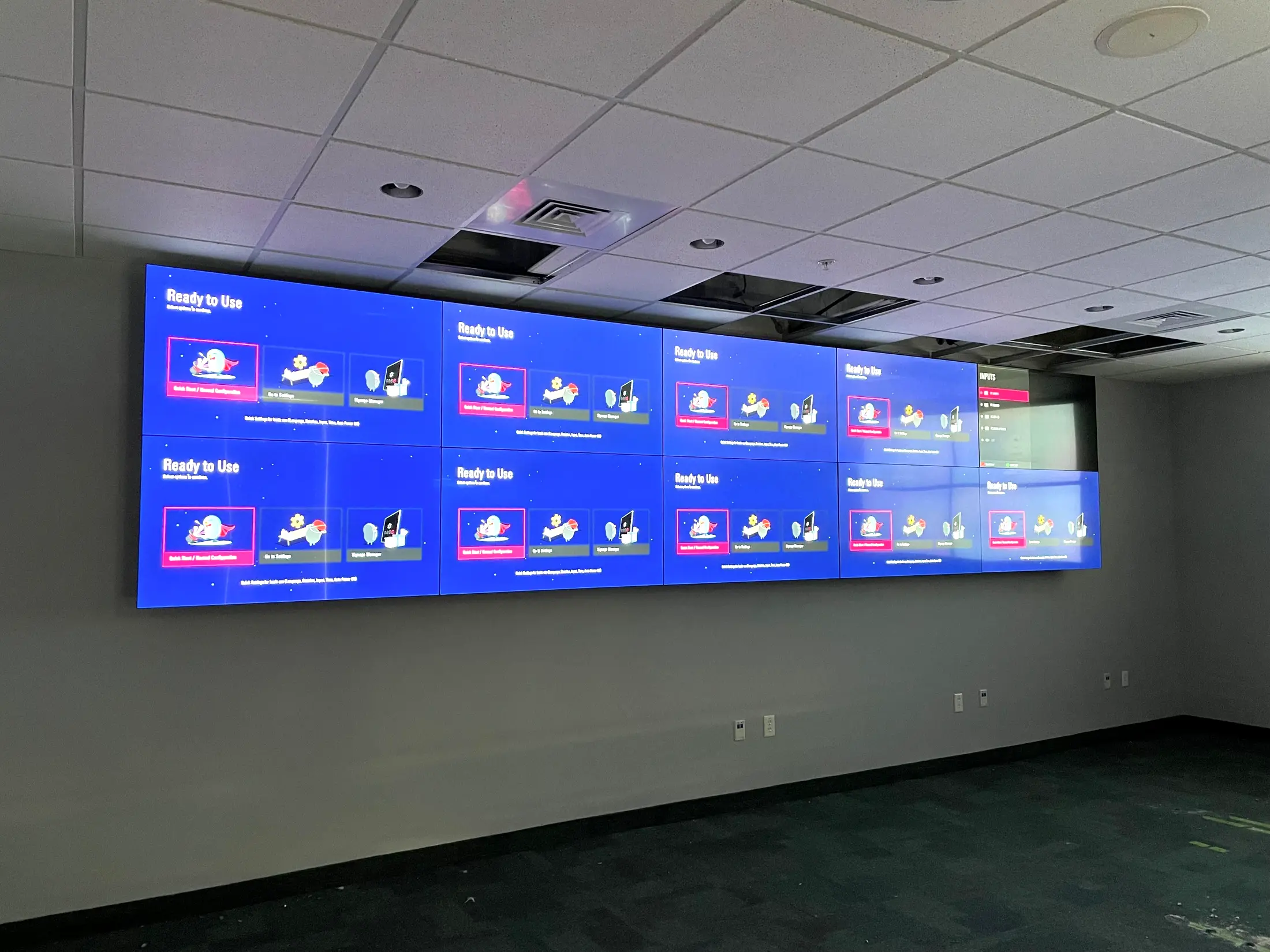
PLATE 03
A ten panel video wall lit up on the wall of a darkened room, showing the display setup screen before content is loaded.
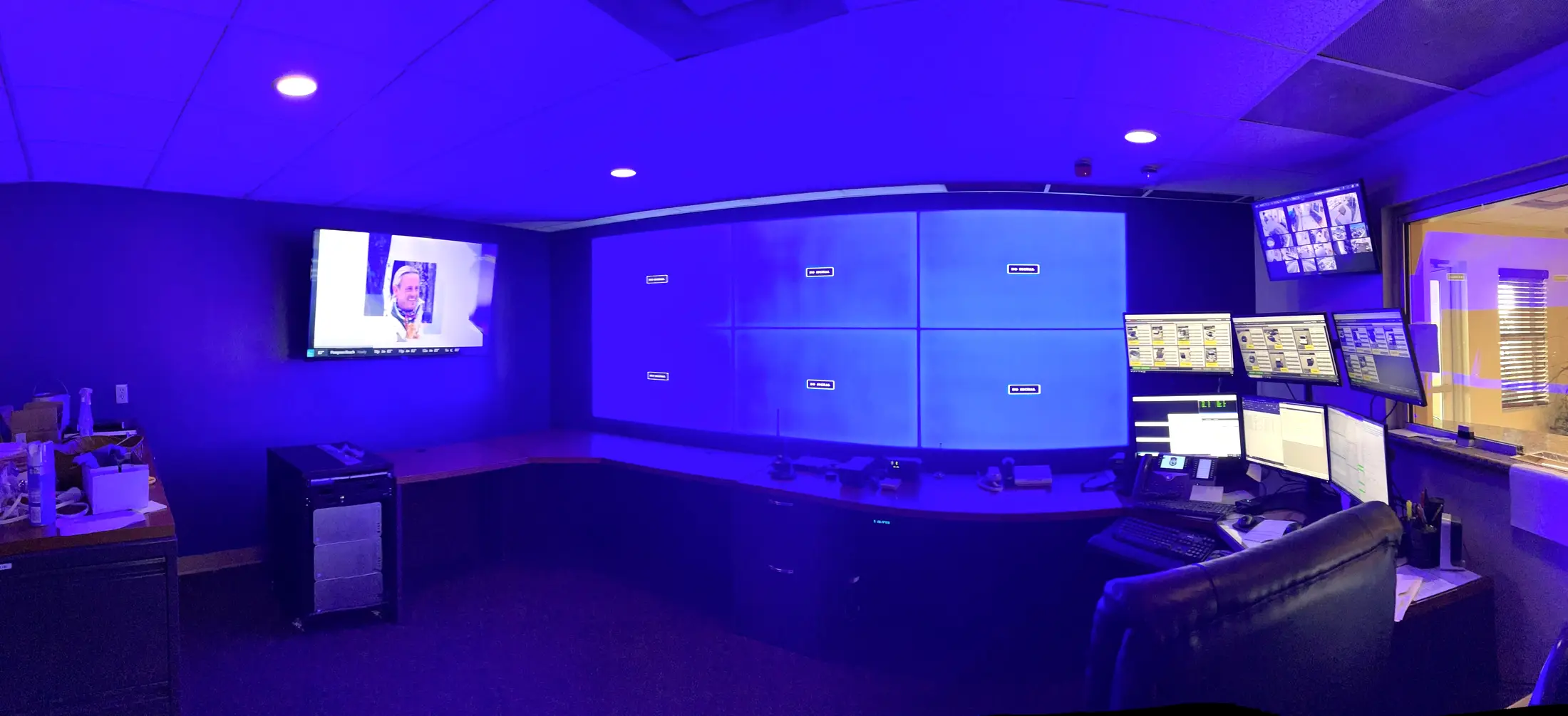
PLATE 04
A control room with a four panel video wall, a curved operator console, a bank of monitors and blue accent lighting.


What the work includes
- 01
Site walk and layout: finished picture size, mounting height and viewing distance agreed before anything is ordered
- 02
Backer fixed back to structure and painted out dark, so the gaps between panels read black instead of gray
- 03
Mounts set out to the panel grid with the corner adjusters left live, so panels can be trimmed into line once they are hanging
- 04
A recessed box at every display position, so nothing sits proud behind a panel
- 05
One network cable to each position, pulled and coiled at its box before the first panel goes up, with the power outlet positions set out on the same grid for whoever is running them
- 06
Source equipment on its own backboard, every transmitter numbered and every lead flagged at the connector
- 07
Full-field white and full field color across the finished array, checked from the viewing position and re-trimmed where it needs it
- 08
Handover pack: the panel to transmitter map, labels at both ends of every run, and photographs of the backboard taken before the panels covered it
Common questions
- What happens if one panel fails after the job is finished?
- Video wall mounts are made to pull each panel forward off the wall, so one screen can come out for service without disturbing the ones around it. The numbering at the source is what makes the diagnosis quick: the handover map tells you which transmitter feeds the panel that went dark, so the screen, the lead and the source get checked in that order instead of guessed at. If the wall is carrying something the business depends on, keep one spare panel from the original set on site, because a replacement bought later can come from a different production batch and will not match.
- Do you build the control room, or only the wall?
- Both, and they are really one job. Console position, operator sightlines, the monitors either side of the wall, where the source equipment lives and the cabling behind all of it get decided together, because where the operator sits sets the mounting height of the wall and that height is fixed as soon as the backer goes up. Room lighting is worth agreeing at the same time with whoever controls it. If the wall is going into a dispatch, security or operations room, that conversation belongs at the start, before anything is ordered.
- Does it matter how close people will be standing?
- It decides most of the specification, and it is the question that gets skipped. Viewing distance sets how visible a seam is, how much resolution you actually need, and how high the wall should sit. A wall people walk past at twenty feet and a wall an operator sits three feet from are not the same product, and buying for the wrong one costs you in both directions: resolution nobody can resolve, or a seam that is invisible in a showroom and obvious from the desk. Finished picture size, mounting height and viewing distance get settled before anything is ordered.
Related services
Tell us about your project.
Send a few details and we will come back with a clear plan and a straight answer.